Motion Studio Showcase · 37s · 1920×1080 · 30fps
AI 动效设计工作室
一支完全由代码渲染出来的短片。Agent 规划分镜、写场景代码;Remotion 合成与渲染;GSAP 编排时间与缓动;Three.js 搭建 3D 空间。动画活在代码里 —— 改一个场景,重新渲染即可。
Opus 5.5
Remotion
GSAP
Three.js
渲染成片:reel.mp4(H.264,npx remotion render 在无头 Chrome 中输出)
技术栈分工
Agent · Opus 5.5
规划分镜,写场景代码把一句 brief 拆成分镜,每一格对应一个 React 组件。
Remotion
合成 · 预览 · 渲染用 <Sequence> 排布场景,Studio 实时预览,CLI 导出 MP4。
GSAP
时间 · 缓动 · 转场暂停的 timeline,每帧 seek(frame / fps),确定性、可并行渲染。
Three.js
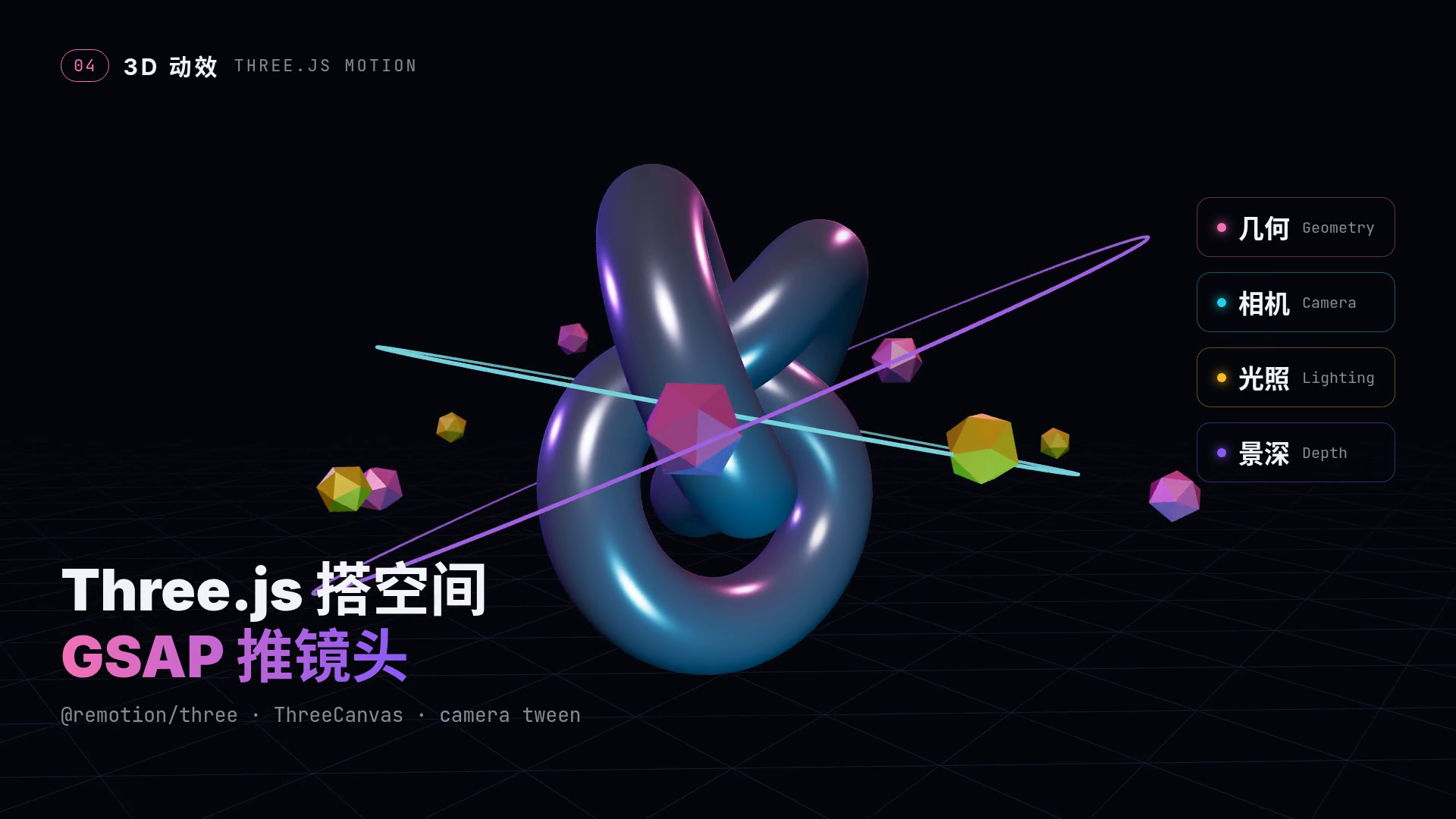
几何 · 相机 · 光照 · 景深通过 @remotion/three 的 ThreeCanvas 渲染,相机由 GSAP 推拉。
工作闭环
简报 Brief→分镜 Storyboard→素材 Assets→场景代码 Scene Code→动效 Motion→预览 Preview→迭代 Refine→导出 Export
在线预览(@remotion/player)
下面不是视频,而是同一份 Remotion 组件在浏览器里实时运行 —— 3D 场景由你的 GPU 实时渲染。
分镜列表
- 01 简报Brief — 标题逐字弹入(back.out 交错),提示词打字机效果,技术栈标签 elastic 弹出。0:00–0:06
- 02 分镜Storyboard — 5 张分镜卡 expo.out 交错飞入,播放头扫过时卡片高亮。0:06–0:13
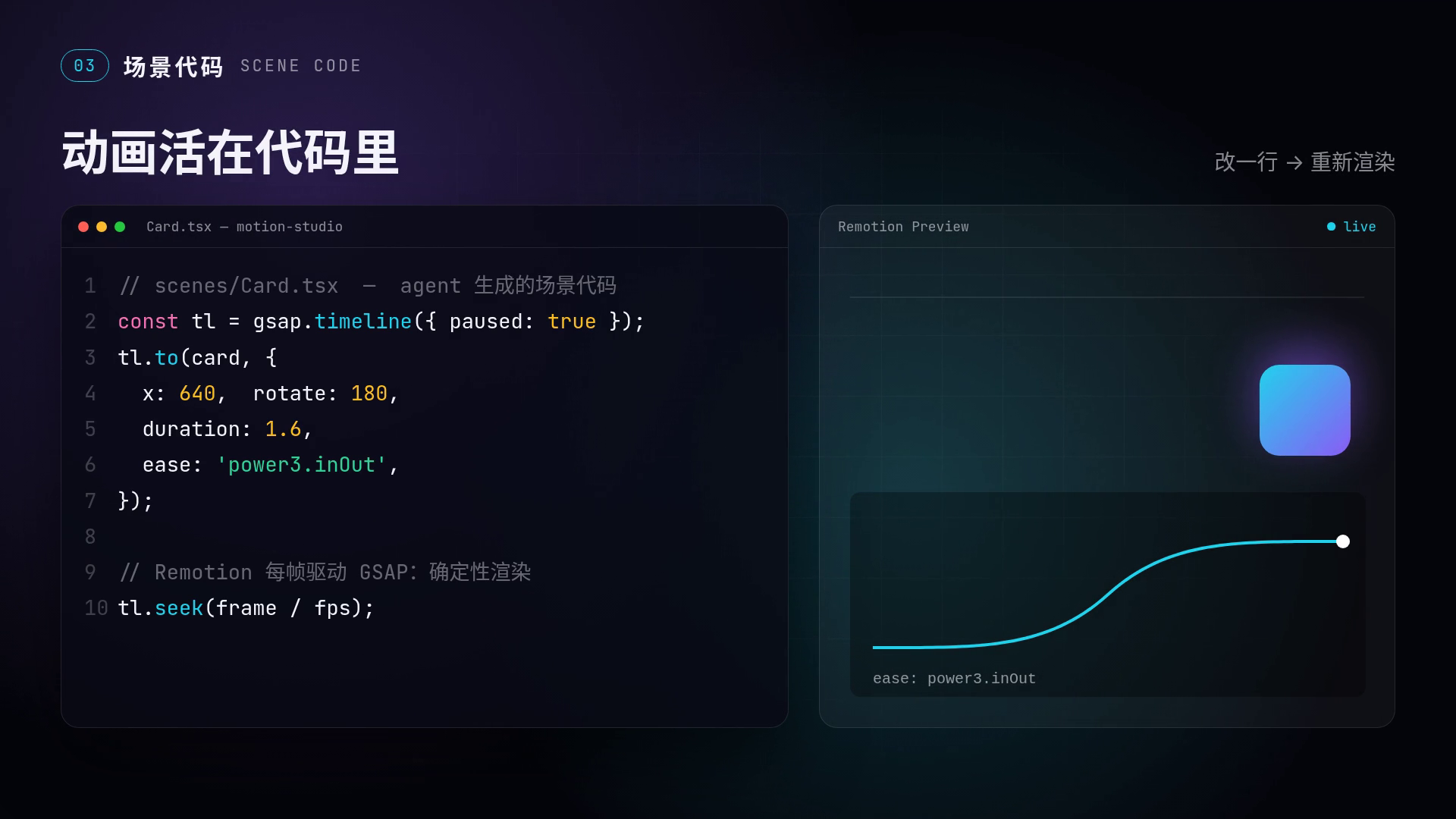
- 03 场景代码Scene Code — 代码逐行出现;把 ease 从 power3.inOut 改成 elastic.out,右侧预览与缓动曲线立刻“重新渲染”。0:13–0:20
- 04 3D 动效Three.js Motion — 金属环面结、轨道环与卫星多面体,三色点光源 + 雾化景深,GSAP 驱动相机推近、环绕、升起。0:20–0:29
- 05 导出Preview → Export — 8 节点闭环逐个点亮,渲染进度 0→100%,收尾卡“改一个场景,重新渲染”。0:29–0:37
代码片段 · GSAP 计时(确定性)
// src/lib/useGsap.ts —— GSAP 不走自己的时钟,由 Remotion 每帧 seek
export function useGsap(initial, build) {
  const frame = useCurrentFrame();
  const {fps} = useVideoConfig();
  const {tl, v} = useMemo(() => {
    const v = initial();
    const tl = gsap.timeline({paused: true});
    build(tl, v);
    return {tl, v};
  }, []);
  tl.seek(frame / fps, false);
  return v;
}

// src/scenes/S2Storyboard.tsx —— 5 张分镜卡交错入场
PANELS.forEach((_, i) => {
  tl.to(v.cards, {[i]: 1, duration: 0.9, ease: 'expo.out'}, 0.5 + i * 0.16);
});
tl.to(v.head2, {x: 1, duration: 3.2, ease: 'power1.inOut'}, 2.4); // 播放头
代码片段 · Three.js 场景
// src/scenes/S4Three.tsx —— GSAP 补间的数值 → Three.js 相机
const CameraRig = ({v}) => {
  const {camera} = useThree();
  camera.position.set(Math.sin(v.cam.orbit) * v.cam.z, v.cam.y, Math.cos(v.cam.orbit) * v.cam.z);
  camera.lookAt(0, 0, 0);
  return null;
};

// 推近 + 环绕,然后摇臂升起
tl.to(v.cam, {z: 7.2, y: 1.2, orbit: 0.5, duration: 4.2, ease: 'power2.inOut'}, 0);
tl.to(v.cam, {orbit: 1.6, y: 2.6, z: 8.5, duration: 4.0, ease: 'sine.inOut'}, 4.2);

<ThreeCanvas width={width} height={height} camera={{fov: 45}}>
  <CameraRig v={v} />
  <fog attach="fog" args={['#06070c', 6, 18]} />
  <pointLight position={[-4, 1.5, 3]} intensity={60} color={theme.violet} />
  <mesh rotation={[t * 0.6, t * 0.8, 0]} scale={v.knot.s}>
    <torusKnotGeometry args={[1.1, 0.36, 260, 40, 2, 3]} />
    <meshStandardMaterial metalness={0.85} roughness={0.18} />
  </mesh>
</ThreeCanvas>
关键帧